Google Business Profile in Korea: The Setup Guide for Businesses Serving Foreign Visitors
Google's guidelines are the same everywhere. Seoul adds a few twists: two scripts on one sign, a road-name address shared by many tenants, a verification method Google picks for you, and Seollal and Chuseok.

You can put a Seoul business on Google for free. This guide goes through each setting in the order you will meet it, for an owner or manager starting fresh or fixing a profile someone else left behind. Where a step is our advice and not Google's rule, we say so.
Can you list a business in Korea?
Yes. South Korea is on Google's list of countries and regions where you can add a Business Profile.
Google's guidelines say a business qualifies if it has a physical location customers can visit, or if it travels to customers at their locations. A Korean BBQ restaurant in Hongdae, a hanbok rental near Gyeongbokgung, a skin clinic in Gangnam and a tour guide who meets groups at hotels all fit. A virtual office or mailbox address does not.
Your profile is where a visitor's search or AI question lands. Our guide to how foreign visitors find businesses in Korea covers the trip there. This one covers the profile itself.
Stay the owner and add helpers as managers
Decide who owns the profile before you touch anything else. Google gives every profile one primary owner, and allows more owners and managers. Owners can add and remove users and delete the profile. Managers can edit nearly everything but cannot add or remove users or remove the profile.
So keep the primary owner role on a Google Account your business controls, ideally a company email and not one employee's personal Gmail. That part is our advice, not Google's rule. Give everyone else, whether staff, a freelancer or an agency, the manager role. To add one, open Business Profile settings, choose People and access, select Add, enter the email, pick Manager and send the invitation.
Never hand over ownership to a helper. Google says only the primary owner can transfer primary ownership. Once someone else holds it, you need them to transfer it back, or you must go through Google's slower ownership request.
Remove a manager later and their past replies and posts stay, but they can no longer change anything. When we work with a business, we join as a manager and you stay the owner, as our homepage questions say. You can remove us any time.
Getting a profile back from a previous agency or employee
Often a profile already exists: a previous agency made it, or a former employee set it up on a personal account, and nobody on your team can edit it. Do not start a new one. Google allows only one profile per business, and duplicates do not show on Search or Maps.

Use Google's ownership request instead, as Google's help page describes it for a business with a storefront:
- Go to business.google.com/add, enter your business name and address, and pick your business from the list. If someone manages it, you will see a message that someone else may manage this Business Profile.
- Choose Request Access, fill out the form and submit it.
- The current owner gets an email and has three days to respond. If they approve, you get an email and can manage the profile. If they deny, you can appeal, or suggest an edit in Google Maps.
- If nobody responds in three days, you may be able to claim the profile. Open the confirmation email, choose View request, then Verify. Google warns the claim option is not always available.
Two other cases have their own routes. If the profile exists but nobody verified it, you can claim and verify it. If you run a service-area business with no storefront, Google's page sends you to contact Google instead, entering "Transfer ownership of listing" as the issue.
If the old agency or employee is still on good terms with you, there is a faster route. It is our suggestion, since Google's pages do not name this case: ask them to add your business account as an owner, then have the primary owner transfer primary ownership to you. Google says that transfer keeps your reviews and other business information. Do not remove the profile from an account to start over. Google says removal is permanent, deletes the posts, photos, videos and review replies added by owners and managers, and means you must verify again.
Name: one real name, not repeated in two scripts
Your profile name should be the real-world name your business uses on its sign, stationery and website. Google's guidelines rule out marketing taglines, hours, phone numbers, location details and service descriptions. "Gangnam Best Skin Clinic Open Late" is a stuffed name. The clinic's real name alone is the right one.
Google's guidelines now carry a rule that hits many Korean businesses. Repeating the same business name in more than one script or language is not allowed, "even if it appears this way on physical storefront signage." Google's own examples: a name followed by its Japanese-script twin is out, and the name alone is fine. Search Engine Roundtable reported the new wording on August 10, 2026.
Say your café's sign reads 카페 하루 with "Haru Café" under it. A name field holding both is the pattern Google now rejects. Choose one form, and use the other in your description, posts and website. Which form to choose depends on your sign and your visitors, and our guide to Korean and English names on your profile walks through the choice.
Address: the road-name address, with floor and unit on line 2
Use the official road-name address (도로명주소), not the older lot-number address (지번). It runs from city and district to road name and building number, in the form 서울특별시 마포구 ○○로 12. Google wants an exact address where customers can find you, and expects permanent signage with your name at that address. A mailing address you rent but do not work from, often called a virtual office, is not eligible.
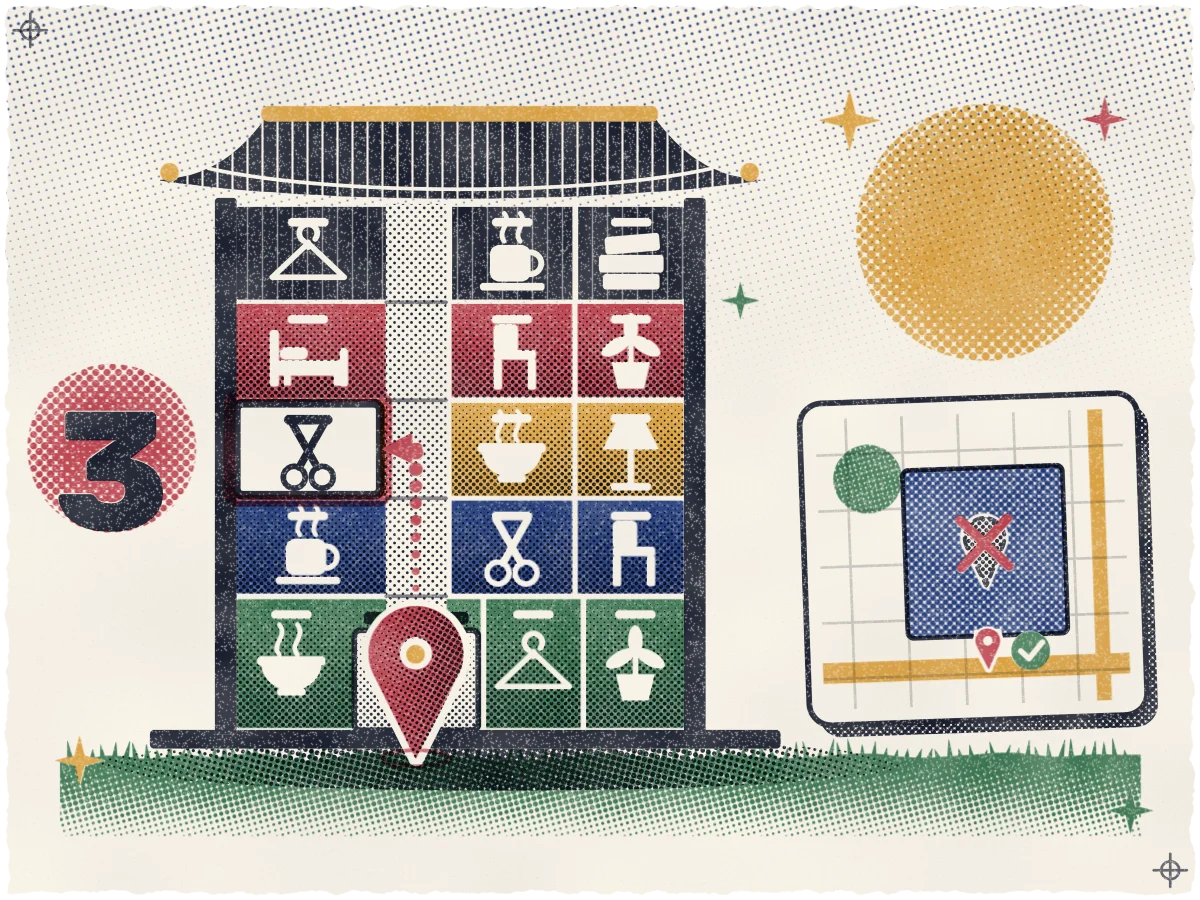
Most Seoul storefronts share a building. Google's guidelines say to enter the physical address as Address Line 1 and a suite number as Address Line 2. Putting the floor and unit there, such as 3층 or 301호, is our own reading of that rule, and we expect it keeps line 1 clean for Google to match to the map. Then zoom in and check that the pin sits on your entrance. That check is our advice too.
One source note. Google's bulk-upload address page lists South Korea with "District" (for example Bundang-gu) as the sub-locality and "Do/Si" as the administrative area. That page covers spreadsheet uploads, not the single-profile form, so treat it as a hint about how Google reads a Korean address.
Verification: Google picks the method
Verification proves the business is real and that you run it. Google lists phone or text, email, a live video call and a postcard, and recommends a video recording where a business qualifies. You do not choose. Google decides which methods you see, based on your business type, public information, region and business hours, and that cannot be changed. Google publishes no Korea-specific list.
Postcard verification is not available to every business. Live video calls only run during your location's business hours, and you must be at the business. Google asks you to show outside signs or a street sign that confirms the address, your products or equipment, and something that shows you run the place. In a shared building, our advice is to start the call at the entrance with your own signage in view. Our guide to verifying your profile in Korea goes through each method in more detail.
Categories: few and specific
The primary category tells Google what kind of business you are. Google says the categories you choose affect your local ranking, and practitioners rate the primary category the top Maps factor, as our guide to how your profile ranks on Google Maps explains.
Pick the most specific option that fits, and add only a few more from Google's list. Google's example is "Nail salon" over "Salon." In the same way, a category such as "Korean barbecue restaurant" beats "Restaurant" for a BBQ place in Mapo. You cannot invent a category, and you should not add one for every dish. If part of your business runs on its own, such as a café run independently inside a gym, it gets its own profile, not an extra category. Adding or editing a category can prompt Google to ask you to verify again, so choose before you verify.
English description: write for a stranger
Google allows up to 750 characters, no URLs or HTML, and says to focus on your business, not on promotions, prices or sales. It suggests covering what you offer, what makes you special and how long you have been open.
Write it for someone who has never walked past your door and cannot read the sign. Say what the place is, what you sell, and where it is in terms a visitor knows: a palace, a station, a street. Answer what a stranger worries about, such as English-speaking staff, an English menu or walk-ins.
Say you run a hanbok rental near Gyeongbokgung. A draft might read: "Hanbok rental a five-minute walk from Gyeongbokgung Palace. Choose traditional or modern hanbok for adults and children, with hair styling included in the rental. Staff speak English and help you dress. Walk-ins are welcome, and booking ahead is easier on weekends." It has no price, discount or link, and each line answers a visitor's question. Write it in English, the language of the visitors you want to reach.
Photos and video visitors look for
Google's specs are plain. Photos are JPG or PNG, between 10 KB and 5 MB, recommended at 720 by 720 pixels with a minimum of 250 by 250, in focus and well lit, without heavy filters. Videos run up to 30 seconds and 75 MB at 720p or higher. New media can take 24 to 48 hours to appear, and appears only after you verify the profile.
Shoot for a visitor on a Seoul street with a phone. Show the entrance as seen from the street, since Google notes an exterior photo helps customers recognize you. Show the inside: the seating, the counter, the changing room. Show what you sell: menu items in good light, or the products on the shelf.
Skin clinics should skip before-and-after and treatment photos. Article 56 of Korea's Medical Service Act bars ads with patient treatment stories that could mislead people about results, and ads that show procedures such as surgery. The Act does not name before-and-after photos, but they can read as a treatment story, so we advise leaving them out. Google says you are responsible for making your images comply with applicable laws. Check with Korean counsel before you post anything medical.
Hours and special hours
Set your regular hours first, and make them match the hours on your door. Then add special hours for holidays. Google says to use special hours when your hours change for a short time, or when you close for up to six days in a row. For a longer or unknown closure, use Temporarily closed. Google also recommends confirming hours for official holidays even when they match your normal hours, so customers can see they are current.

Seollal and Chuseok follow the lunar calendar, so their dates move every year. Set them a few weeks ahead, not the night before. Our guide to setting Seollal and Chuseok hours covers the details.
Google posts: use them for real news
Posts let you share updates, offers and events on Search and Maps. Use them for real news: a holiday schedule, a seasonal menu, a new class, an event. Google archives posts older than six months unless you set a date range, and may reject a post with a phone number it cannot verify.
Keeping it current
Google lists keeping your Business Profile information up to date among the practices on its page about AI Overviews and AI Mode, and says no special optimization is required to appear there. Check hours, phone, photos and description every month, and answer new reviews as they arrive. Our guide to getting and answering Google reviews covers that side.
How your profile ranks
Google says local results rest mainly on three things. Relevance is how well your profile matches the search. Distance is how far you are from the searcher. Prominence is how well known you are, which Google ties to reviews and to how many websites link to you. There is no way to request or pay for a better local ranking. In a dense city, distance can change the result as the searcher moves, so you may rank well from one spot and not from another nearby. Our guide to why your Maps rank changes every few blocks goes deeper.
What gets profiles suspended
Google says a profile that breaks its guidelines can be suspended. Three problems that can lead to suspension or a hidden profile:
- Stuffed names. Taglines, services, locations or hours added to the real name. Google now also bars repeating the name in a second script. It has not said how it enforces that.
- Duplicate profiles. A second profile, often made by a former agency or a well-meaning employee.
- Wrong addresses. A mailbox, a virtual office, or an address where you receive mail but never serve customers.
Fix the cause first, and note what you changed and when.
One-page setup checklist
- Confirm you are eligible: a place customers visit, or a service area.
- Search business.google.com/add for an existing profile before you create one. If one exists, request ownership.
- Hold the primary owner role on a business-controlled Google Account. Add everyone else as a manager.
- Enter your real name as on your sign, not repeated in a second script. No taglines, locations or hours.
- Enter the road-name address on line 1, the floor and unit on line 2, and check the pin sits on your entrance.
- Choose one specific primary category and only a few more.
- Verify with the method Google offers, and be at the business for a live video call.
- Write a description of 750 characters or fewer, with no prices, promotions or links.
- Upload photos of the entrance from the street, the inside and what you sell. Wait up to 48 hours for them to show.
- Skin clinics: leave out before-and-after and treatment photos, and ask Korean counsel.
- Set regular hours, then special hours for every public holiday, Seollal and Chuseok included.
- Post real news, such as a holiday schedule.
- Put a monthly check on the calendar.
See where you stand today
Once the profile is right, the next question is where it shows up. That changes by search and by street, and nobody can buy a better spot, so we promise no rank. If you want someone to set up the profile itself, from categories and photos to holiday hours, that is the Be chosen part of our work. To see where you stand today, ask for a free visibility map. It shows where your business appears across your neighborhood, with no contract.
Sources
- Google Business Profile Help: Countries and regions where you can add a Business Profile
- Google Business Profile Help: Guidelines for representing your business on Google
- Google Business Profile Help: Manage your Business Profile owners and managers
- Google Business Profile Help: Transfer primary ownership of a Business Profile
- Google Business Profile Help: Resolve duplicate profiles and ownership issues
- Google Business Profile Help: Request ownership of a Business Profile
- Google Business Profile Help: Remove content and managers from a Business Profile
- Search Engine Roundtable: Google Local Disallows Repeated Bilingual Names & Transliterations (August 10, 2026)
- Google Business Profile Help: Understand address formats for bulk uploads
- Google Business Profile Help: Verify your business on Google
- Google Business Profile Help: Choose a business category
- Google Business Profile Help: Edit your Business Profile (business description)
- Google Business Profile Help: Add photos and videos
- Ministry of Government Legislation: Medical Service Act (의료법), Article 56
- Google Business Profile Help: Photos and videos policy and posts content policy
- Google Business Profile Help: How to set special hours
- Google Business Profile Help: Create a post for your Business Profile
- Google Search Central: AI features and your website
- Google Business Profile Help: Improve your local ranking on Google